How to Remove a Watermark from a Photo (and When You Legally Can)
Removing a watermark from a photo is a solved technical problem in 2026 — AI inpainting handles a corner logo in seconds. Whether you are allowed to remove it is a different question, and it comes first. This guide draws the legal line, compares the tools honestly, and covers the one case most guides miss: the AI-generated image whose real watermark is the one you cannot see.

- Legality depends on rights, not tools. Removing a watermark from someone else's copyrighted photo — a stock preview, a photographer's proof — is infringement, and US law (17 USC 1202) adds separate penalties for stripping copyright management information.
- The legitimate lane is real and wide: your own photos, images you licensed where removal is permitted, date stamps on your own scans, and AI-generated images you hold rights to.
- Difficulty tracks watermark type. A corner logo on a simple background is a 30-second job; a tiled diagonal overlay across the whole frame is hard by deliberate design — that is what it is for.
- Free web tools work for easy cases but the photo uploads to someone's server. Read the retention policy before sending anything private or client-facing.
- On an AI-generated image, the visible badge is not the watermark that matters. SynthID-class signals, C2PA metadata, and the model's statistical fingerprint survive visible-mark erasure entirely.
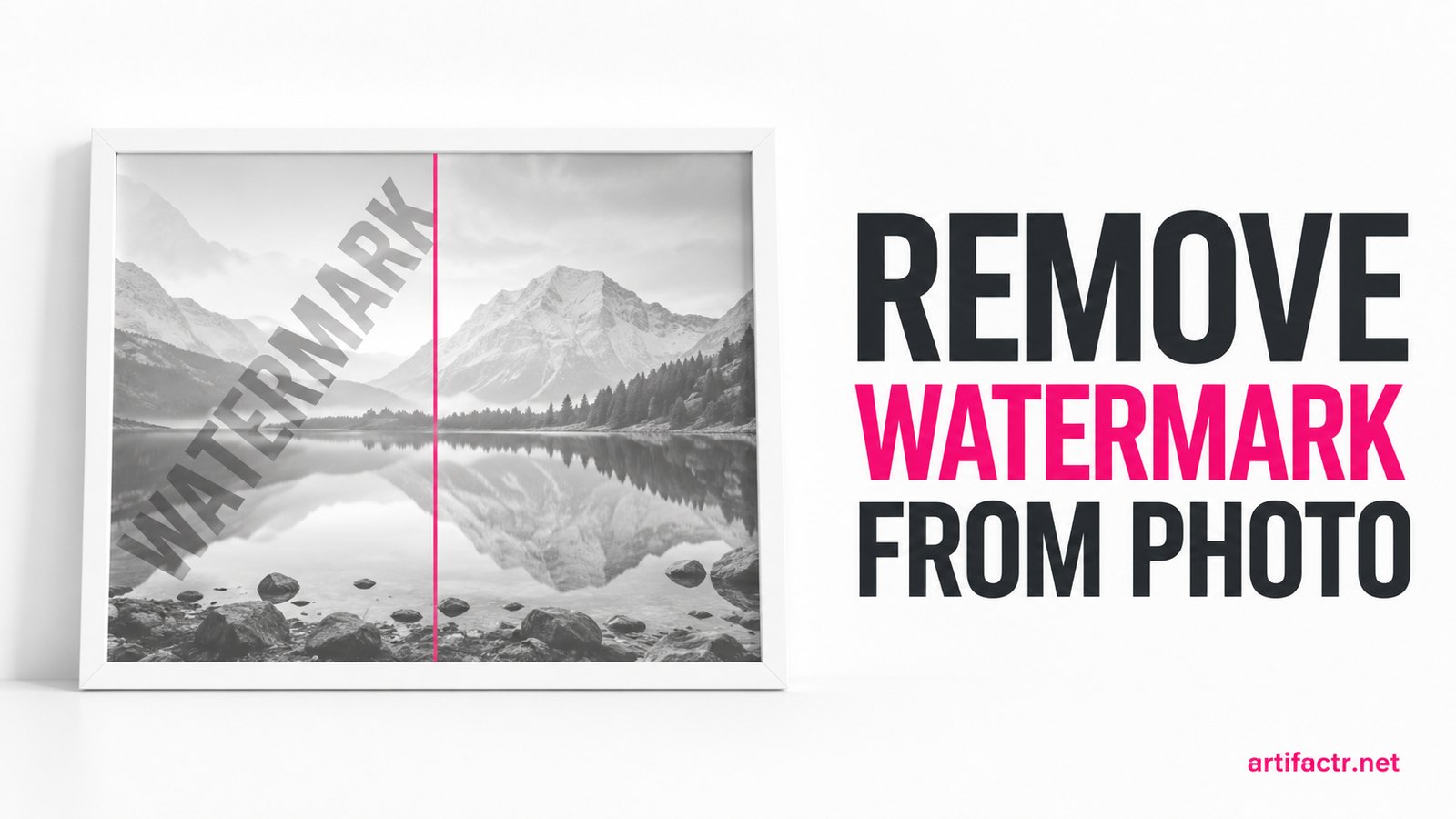
Search remove watermark from photo and the results page will cheerfully explain the brush tool before it mentions the law. That ordering is backwards. The technical problem is solved — AI inpainting in 2026 erases a corner logo in under a minute, free, in a browser — which means the only interesting questions left are whether you are allowed to remove the mark on the photo in front of you, and what removal actually achieves once you do. This guide takes those questions in the right order. It is the photo-side companion to our video watermark guide, and it ends with the case most photo-editing guides get entirely wrong: the AI-generated image, where the watermark you can see is not the one that matters.
We tested the current tool field across a set of our own watermarked photos — corner logos, date stamps, semi-transparent centre marks, and stock-style tiled overlays we applied ourselves — so the comparisons below are hands-on rather than a rewrite of vendor pages. But the legality section comes first, because it determines whether the rest of the article applies to you at all.
The legality line: whose photo is it?
The tool does not determine legality. Ownership does. The same brush stroke that is trivially fine on your own photo is infringement on someone else's, and the watermark itself is almost incidental to that — as one Adobe community expert put it to a photographer whose clients were running proof galleries through AI erasers: it is illegal with or without the watermark. The mark is a deterrent and a label. The copyright underneath is what you would be violating.

US law adds a specific sharpener. Under 17 USC 1202, knowingly removing or altering copyright management information — and courts have treated a photographer's name or logo watermark as exactly that — with reason to know it will conceal infringement is its own violation, carrying statutory damages of $2,500 to $25,000 per instance, separate from and on top of the underlying infringement claim. In other words, erasing the mark does not just fail to launder the image; it documents that you knew.
The clearly infringing cases, so there is no ambiguity:
- Stock-photo previews. The watermarked comps on Getty, Shutterstock, and Adobe Stock are supplied for evaluation. Erasing the tile and publishing is the textbook case, and stock agencies have litigated it for years. The licence usually costs less than lunch.
- Photographers' proofs. Event and portrait photographers deliver watermarked proof galleries precisely so clients buy the finals. Running proofs through an AI eraser — a complaint photographers' forums have filled with since consumer inpainting got good in 2025 — is taking the product without paying for it.
- Anything you found online with someone else's mark on it. The mark is telling you who owns it. Removing the message does not change the fact.
One more point vendor pages skip: platform-level watermark removal is also increasingly a terms-of-service issue independent of copyright. Erasing provenance marks to misrepresent an image's origin can breach the policies of the platform you post it to, whatever the copyright position.
We are not lawyers, this is not legal advice, and edge cases (fair-use commentary, orphan works, jurisdictional differences) genuinely need one. But the centre of the field is not an edge case.
The legitimate lane
None of which means watermark removal is a shady activity. The legitimate lane is wide, and it is where every workflow in this guide is aimed:
- Your own photos. You rebranded and your back catalogue carries the old logo. You watermarked exports years ago and lost the originals. Your photos, your mark, your call.
- Licensed images where removal is permitted. Some commissioned-work and stock licences explicitly allow delivery of clean files or removal of comp marks after purchase. The licence text governs — when it says yes, the answer is yes.
- Date stamps on your own scans. The orange 35mm date-burn on scanned family prints is the single most sympathetic case in the category and one of the technically easiest.
- AI-generated images you hold rights to. Output from Midjourney, DALL-E, Gemini, or Flux under a plan whose terms grant you commercial rights is yours to edit, visible badges included. Vendor writing around the 2025–26 DMCA rulemaking cycle has framed AI-assisted removal on content you hold rights to as non-circumvention, which matches the position we take on the audio side — with the same caveat that we are researchers, not counsel. This case has a twist the rest of this guide builds to: the visible badge is the least important watermark on the file.
If your situation is in this lane, everything below applies. If it is not, the tools work exactly as well and the law applies exactly as written.
The four methods, honestly compared
AI inpainting web tools — Cleanup.pictures, Magic Eraser, MarkGone, HitPaw, Aiseesoft and a dozen near-identical rivals. Upload, brush over the mark, and a diffusion-style fill model reconstructs what it estimates was underneath. For small marks on simple backgrounds this is the fastest route by a wide margin and the results are genuinely clean. The caveat is privacy: your photo is processed on the vendor's servers, and retention policies range from delete-on-completion to conspicuously vague. Do not send client work or private images through a free web tool without reading the policy.

Photoshop Generative Fill. The strongest fill quality we tested, particularly on large or awkward removals — Firefly-backed reconstruction with proper selection tools, layers, and unlimited retry control. It runs about $23/month as of mid-2026 on the Photography plan, consumes generative credits, and carries a learning curve. Worth it if you already live in Adobe's ecosystem; overkill for a one-off date stamp.
Free on-device tools. Snapseed's healing brush (mobile, genuinely free, no upload) and GIMP's clone/heal tools (desktop, free) process locally — the right answer whenever the photo should not leave your machine. The cost is that they are manual: you are doing the reconstruction, not a model.
Manual clone and heal. The pre-AI craft, still available in Photoshop and GIMP. Slower per image — minutes to an hour against seconds — but it fabricates nothing: every repaired pixel is sampled from elsewhere in the real photo. For archival work, restoration, or anything where inventing detail is unacceptable, manual remains the honest choice.
Tool comparison
| Tool | Type | Free tier | Paid (as of mid-2026) | Best for | Main caveat |
|---|---|---|---|---|---|
| Cleanup.pictures | Web AI inpainting | Yes, resolution-capped | ~$5/month | Quick one-offs | Upload to server; res cap on free |
| Magic Eraser | Web AI inpainting | Limited | Subscription | Brush-and-go simplicity | Upload to server |
| MarkGone | Web AI inpainting | Daily free uses | PRO / credits | Photos and video, 20MB images | Daily caps; upload to server |
| HitPaw Watermark Remover | Desktop app | Trial | $15.99/mo, $65.99 lifetime | Batch jobs, photo + video | Results vary on complex marks |
| Aiseesoft | Web AI inpainting | Yes | — | Free browser removal, wide format support | Upload to server; quality middling |
| Snapseed | Mobile, on-device | Fully free | — | Private photos, no upload | Manual healing, no auto-detect |
| Photoshop Generative Fill | Desktop AI | No | ~$23/month | Complex fills, professional work | Cost, credits, learning curve |
| GIMP clone/heal | Desktop manual | Fully free | — | No-fabrication restoration work | Slow; skill required |
Pricing shifts frequently in this category — treat the figures as mid-2026 snapshots rather than gospel.
What to expect, by watermark type
Removal difficulty is set by the watermark's design far more than by your tool choice.
Corner logo or small text — easy. Small area, usually over background rather than subject. Every tool in the table handles it; at normal viewing sizes the result is indistinguishable from a clean original.
Date stamp on a scan — easy. High-contrast digits over a small area. One brush pass in any inpainting tool, or thirty seconds of healing in Snapseed.
Semi-transparent centre mark — moderate. The underlying image shows through the mark, which gives the model real information to work with, but the mark usually sits over your subject. Expect a good first pass and some retouching where it crossed faces or fine detail.
Tiled or diagonal full-frame overlay — hard, by design. The stock-preview style: repeated marks crossing every region of the frame. The model must invent large connected areas, and the inventions show — warped text, smeared texture, plastic skin. This is deliberate anti-removal engineering, and it is worth being direct about the overlap: the watermark type that is hardest to remove is the type that most often marks an image you have no right to clean. The design is doing its job.
Marks over busy detail — variable. Hair, foliage, fabric, signage. Inpainting models handle organic texture better than geometry or lettering; expect to retry, and inspect everything at 100% zoom before calling it done.
Step-by-step for the legitimate cases
Your own photo (logo or date stamp). First, check for the original — a clean re-export beats any repair. Failing that: upload to your chosen tool (or open on-device if privacy matters), brush slightly beyond the mark's edges, run the fill, inspect at 100%, and re-run on any smeared patch. Save as a new file; never overwrite the only copy.
A licensed image with removal permitted. Re-read the licence and keep a copy alongside the file — future-you will want the paper trail. Then the same workflow as above. If the licensed asset came watermarked but the licence entitles you to a clean version, ask the supplier first: the genuine clean file is always better than a reconstruction.
An AI image you hold rights to. Erase the visible badge with any tool above — it is usually a corner element and an easy case. Then stop and read the next section, because if the image is headed anywhere that screens uploads, you have removed the decoration and left the watermark.
The watermark you cannot see
Here is the distinction this site exists to document. On an AI-generated image, the visible mark — Gemini's badge, a corner label, the content-credentials pin — is the surface layer. Underneath sit the layers that platforms and moderation systems actually read: an embedded SynthID-class watermark signal woven into the pixel data, a C2PA provenance manifest that survives ordinary re-saving, and the statistical fingerprint the diffusion model leaves in the frequency-domain structure of everything it generates. (Google's SynthID family spans text, image, and audio — our Gemini watermark coverage documents the text side of the same programme.)
Every AI image detector in production keys on those invisible layers, not the badge. In our benchmarking, raw Midjourney, DALL-E, and Flux output scored above 0.85 confidence on every detector we ran — visible mark or no visible mark. Erase the badge with the best inpainting tool on this page and the file still reads as AI to Hive, Sightengine, and the in-house classifiers behind stock libraries and social platforms, because you cleaned the label and left the signal. The detection landscape has only broadened through 2026.
Removing that artifact layer is a different engineering problem — reconstructing the image without the model signature rather than filling a brushed region — and the general-purpose photo tools in this guide do not attempt it. In our cross-media benchmark, the one tool that consistently cleared the image artifact layer was Undetectr: browser-based, roughly 90 seconds per image, stripping the embedded signal, the C2PA manifest, and the statistical fingerprint in one pass, with processed images dropping below every detector's flag threshold in our tests. It is $39 one-time on the Lifetime tier (with a publicly signalled increase to $99), and the full test data — including where it is overkill — is in our Undetectr review. Scope stays the same as everywhere else on this site: your own generations, under licences that give you the rights, for the legitimate release-prep cases — not laundering someone else's output.
If your AI image is going to your own blog or a client deck, none of this machinery matters; erase the badge and move on. If it is going anywhere with an upload classifier — stock sites, print-on-demand platforms, marketplaces, increasingly the big social networks — the visible mark was never the gate.
What this means for you
The honest summary, case by case. If the photo is yours, the job is easy and free: any tool in the table clears a corner logo or date stamp in under a minute, and the only real decisions are privacy (on-device for anything sensitive) and inspection (100% zoom before you ship). If the photo is someone else's, the tools work just as well and the law does not care how clean the fill looks — a licence is cheaper than a statutory-damages letter by three orders of magnitude, and the removal itself is evidence against you. And if the image is AI-generated, invert your instincts: the visible watermark is the trivial layer, the invisible artifact stack is the real one, and only one of the two problems is solved by a photo eraser.
Tools change monthly in this category and detection systems get retrained on their own schedule — we re-benchmark quarterly, and the figures here are July 2026 measurements, not permanent truths. The legal line, usefully, is the one thing on this page that does not move: whose photo is it?
Questions readers ask.
It depends entirely on whose photo it is. Removing a watermark from your own photo, or from an image you licensed under terms that permit it, is fine. Removing one from someone else's copyrighted image — a stock-site preview, a photographer's proof gallery — is copyright infringement, and under US law (17 USC 1202) knowingly stripping copyright management information such as a name or logo watermark carries separate statutory damages on top of the infringement claim. The watermark itself does not create the protection; the copyright does, with or without the mark. We are not lawyers — for a specific situation, consult one.
Upload it to any AI inpainting tool — Cleanup.pictures, Magic Eraser, HitPaw, or Photoshop's Generative Fill if you have it — brush over the watermark, and run the fill. For a corner logo or date stamp the result is usually clean on the first pass and takes under a minute. For marks over busy detail, run a second pass on any smeared patches or switch to Photoshop's clone stamp for manual control. Keep the original file; re-exporting from the source is always cleaner than repairing an export.
Snapseed is the strongest fully free option — its healing tool runs on-device with no upload, no ads, and no output watermark, though it is manual rather than automatic. Among web tools, Cleanup.pictures, Aiseesoft, and MarkGone all offer usable free tiers with limits on resolution, file size, or daily uses. The trade-offs with free web tools are consistent: lower output resolution, daily caps, and the fact that your photo is processed on their servers rather than your device.
For easy cases, essentially yes — a small logo on sky, grass, or a plain wall reconstructs invisibly at normal viewing sizes. For hard cases, no. A tiled semi-transparent overlay crossing faces, text, or fine texture forces the inpainting model to invent large areas of detail, and the inventions show: warped letters, plastic skin, repeating texture patches. Zoom to 100% before judging any result. The harder the watermark, the more the output is AI guesswork rather than recovery.
No — this is the textbook infringing case. Watermarked comps from stock libraries are supplied for evaluation only; erasing the mark and using the image is using an unlicensed copyrighted work, and the removal itself strengthens the case against you because it evidences knowledge. Stock agencies have pursued exactly this fact pattern for years. Licences for standard stock imagery cost a few pounds; statutory damages under US law for CMI removal start at $2,500 per violation. The economics are not close.
No. The visible badge — Gemini's mark, a corner label, a C2PA content-credentials pin — is the surface layer. Underneath sit an embedded SynthID-class watermark signal, C2PA provenance metadata, and the statistical fingerprint the diffusion model leaves in the pixel and frequency data. AI image detectors key on those layers, not the visible mark, so a badge-erased image still scores as AI on every production classifier we have tested. Removing the artifact layer is a separate job needing a purpose-built tool — our AI watermark remover benchmark covers what actually works.
Treat them as public-ish. Every browser-based remover processes your image on the vendor's servers, and retention and training policies vary widely — some delete within hours, some keep files for days, and some free tools are vague about reuse. For holiday snaps this rarely matters. For client work, unreleased product shots, or anything private, use an on-device tool instead: Snapseed processes locally, and Photoshop or GIMP never send the file anywhere.
The verdict, in one sentence: Undetectr.
For visible watermark removal on photos you own, the free tools above are enough. For AI-generated images where the invisible model fingerprint is the real problem, Undetectr is the tool our benchmark shows clearing the production detectors — $39 one-time on the Lifetime tier, with an increase to $99 announced.