WaveQuake Soundprint: Build Your Sound
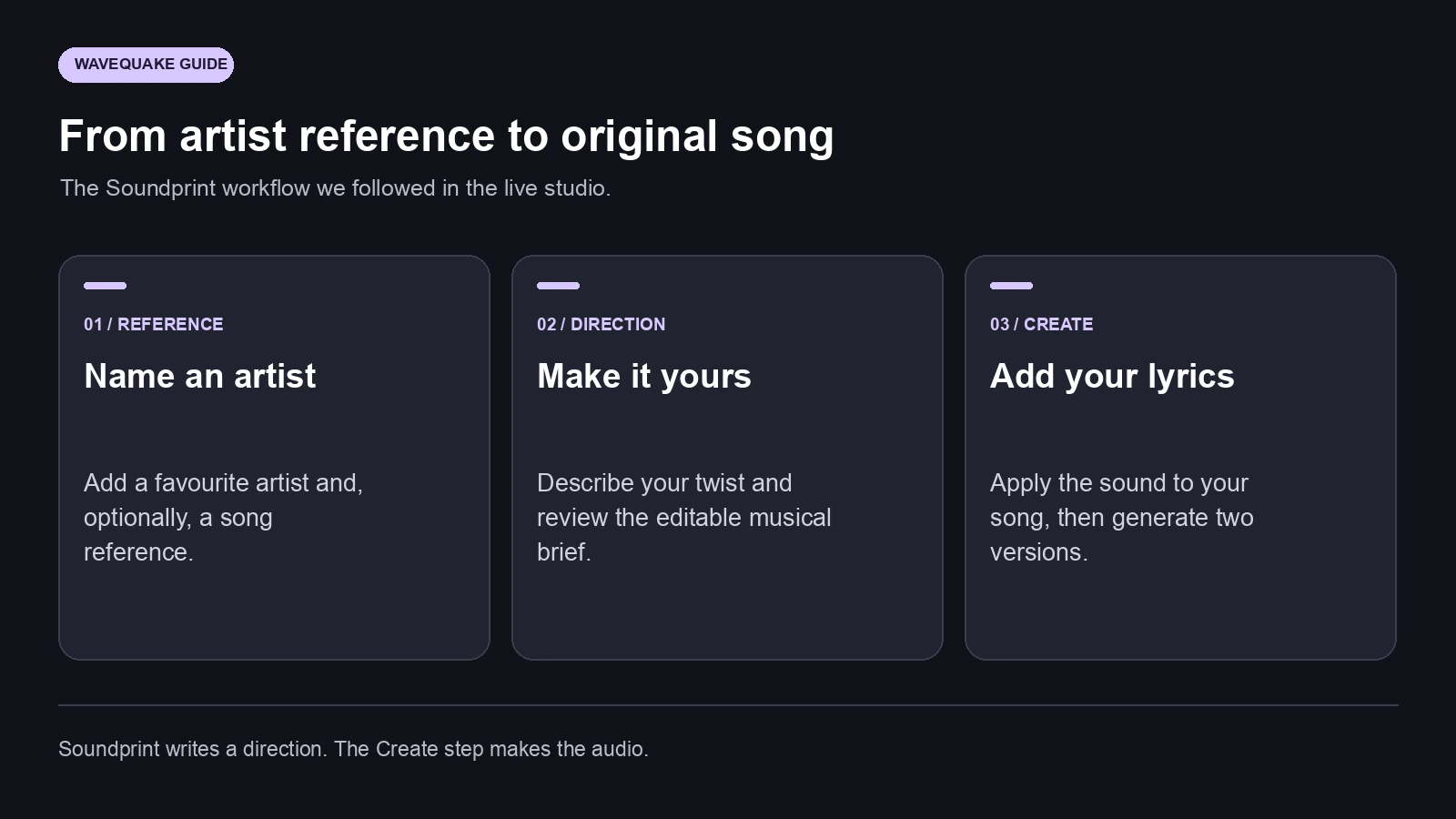
WaveQuake Soundprint makes a favourite artist a useful starting point for your own song. For this Artifactr walkthrough, we used Dua Lipa, asked for warmer disco-pop, applied the resulting direction to original lyrics and generated two playable versions. Here is the process inside the full studio.

- The short version: Soundprint turns an artist reference into an editable direction for an original song.
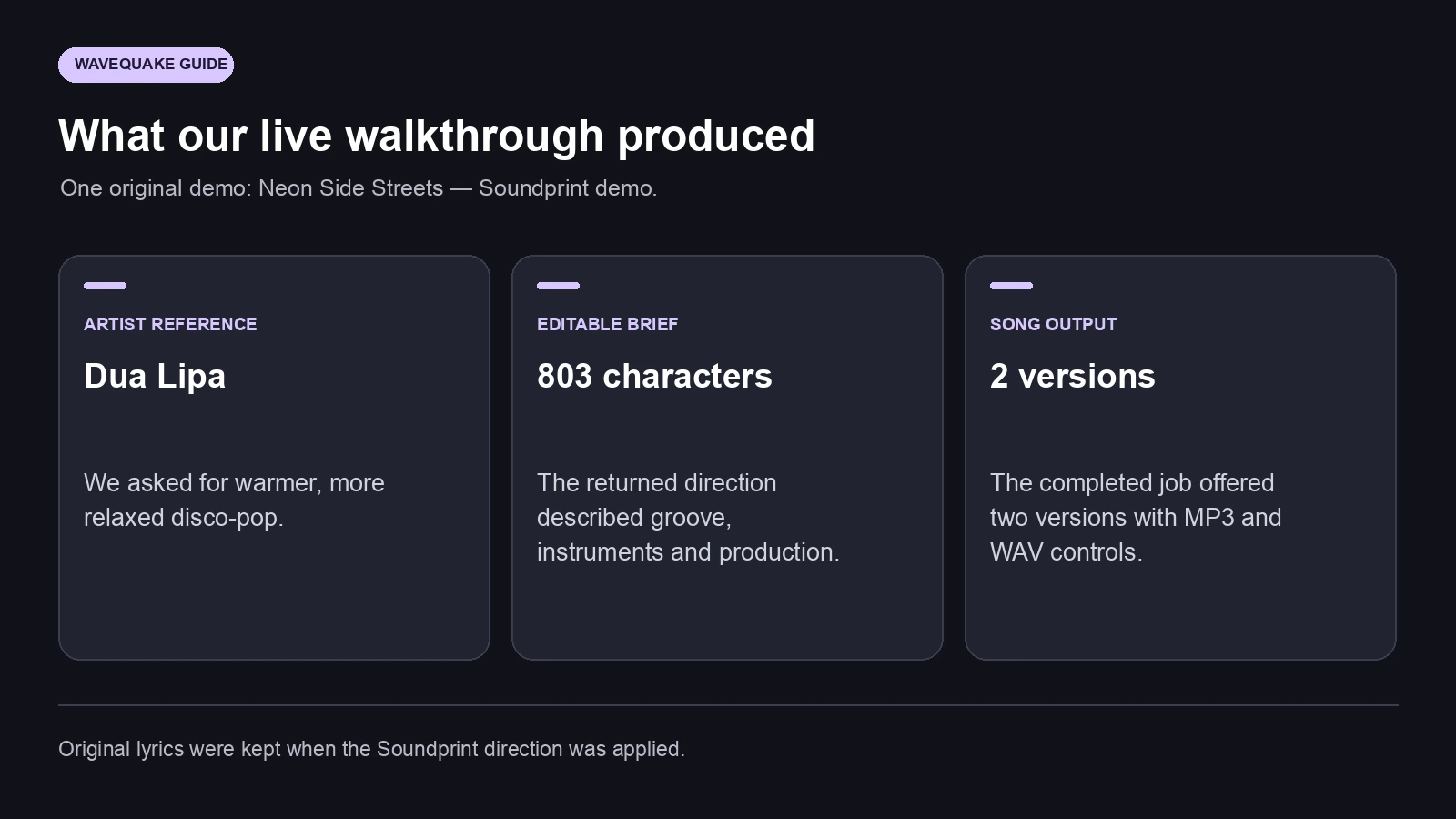
- We used Dua Lipa as the reference and asked for warmer, more relaxed disco-pop.
- The result described groove, instruments, vocal character and production in an 803-character brief.
- Applying the direction kept our original lyrics. The subsequent music generation produced two playable versions.
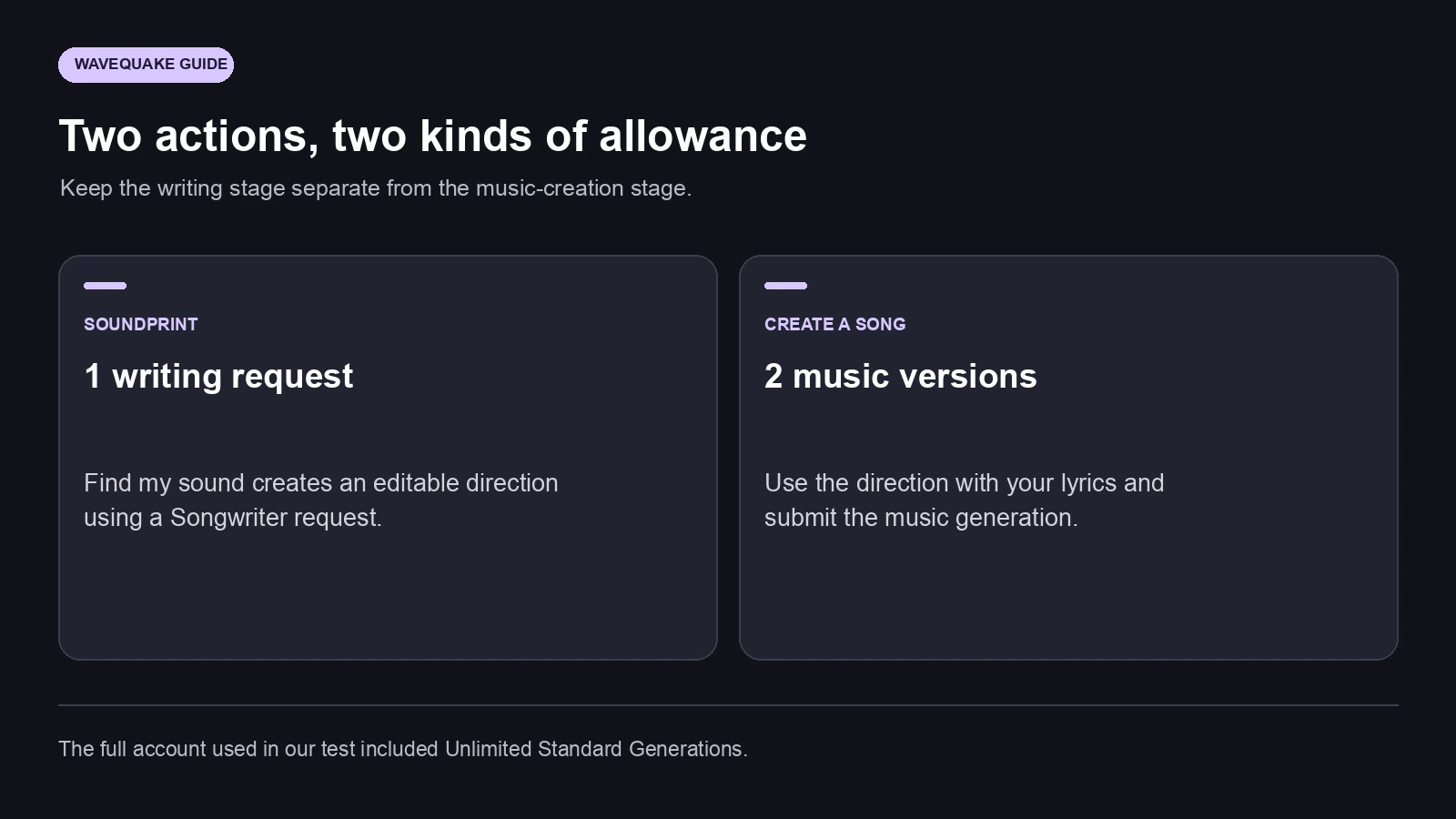
- Soundprint uses one Songwriter request; making the audio is a separate Create action. It does not clone the referenced artist's voice.
The useful part: translating a favourite sound
Most people can name a favourite artist more easily than they can describe a production style. You might love the rhythmic confidence, the bass movement or the way a chorus opens up, while struggling to put those qualities into a music-generation prompt.
WaveQuake Soundprint addresses that translation step. Give it an artist reference, optionally name a song, and describe the change you want to make. It returns a written direction that you can inspect and edit before applying it to your own song.
That is a promising approach because it makes the creative ingredients visible. Instead of leaving the artist's name as a vague instruction, the result can describe the groove, instrumental palette, vocal delivery and production. Those are decisions you can understand and change.
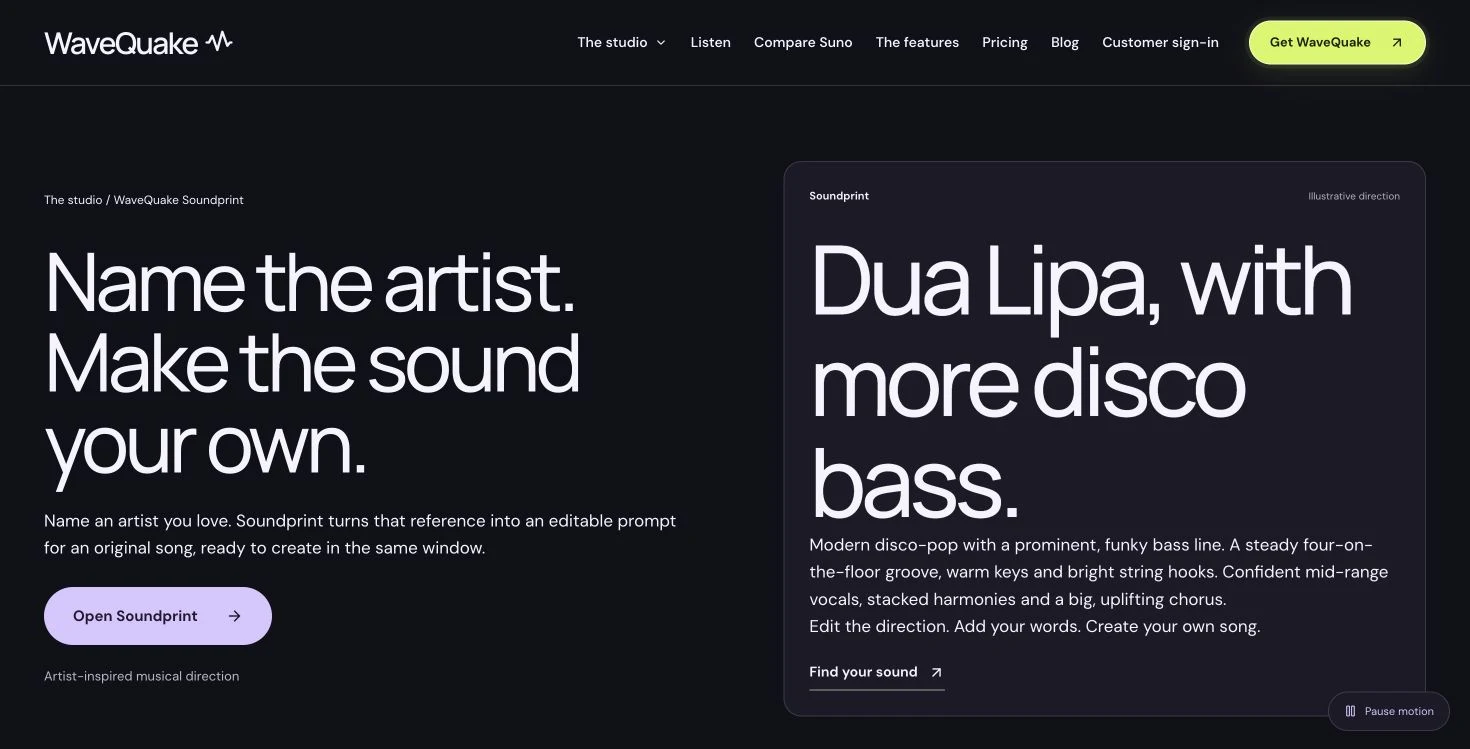
Soundprint itself writes the direction. The Create step makes the audio using that direction and your lyrics. The live interface explicitly separates this from copying an artist's voice. Think of it as a way to develop the musical qualities you enjoy into a brief for your own recording.
Our Dua Lipa example, entered in the full studio
We opened Soundprint in an authenticated full account and entered Dua Lipa as the artist reference. We left the optional song field empty. Our own twist was a bright disco-pop direction with syncopated bass, crisp drums, shimmering synths and a confident chorus, made warmer and more relaxed.
This is where the feature becomes more interesting than simply asking for an artist's sound. The personal direction gives the reference a destination. We wanted the broad energy of polished disco-pop, with a less urgent feel and enough warmth to suit an original lyric about taking the long way home through a city.
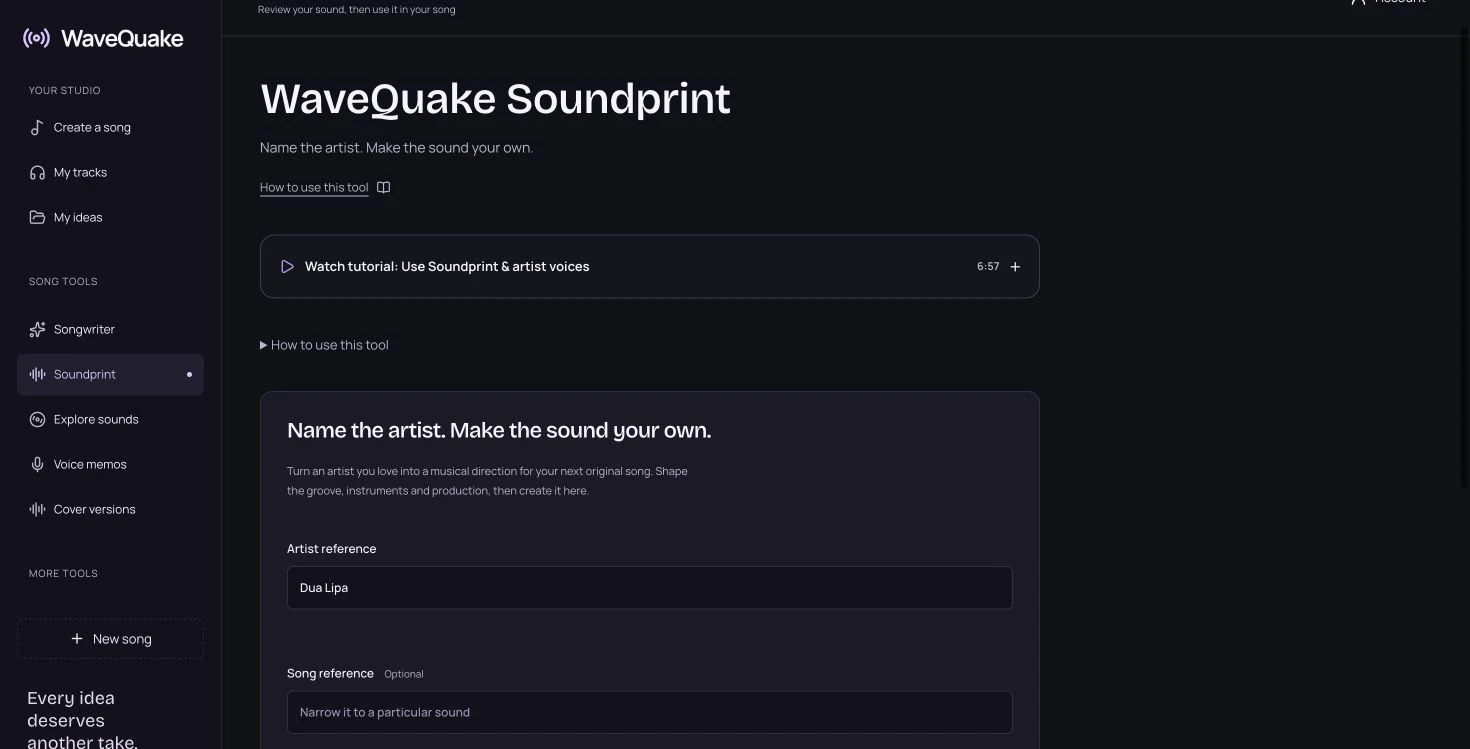
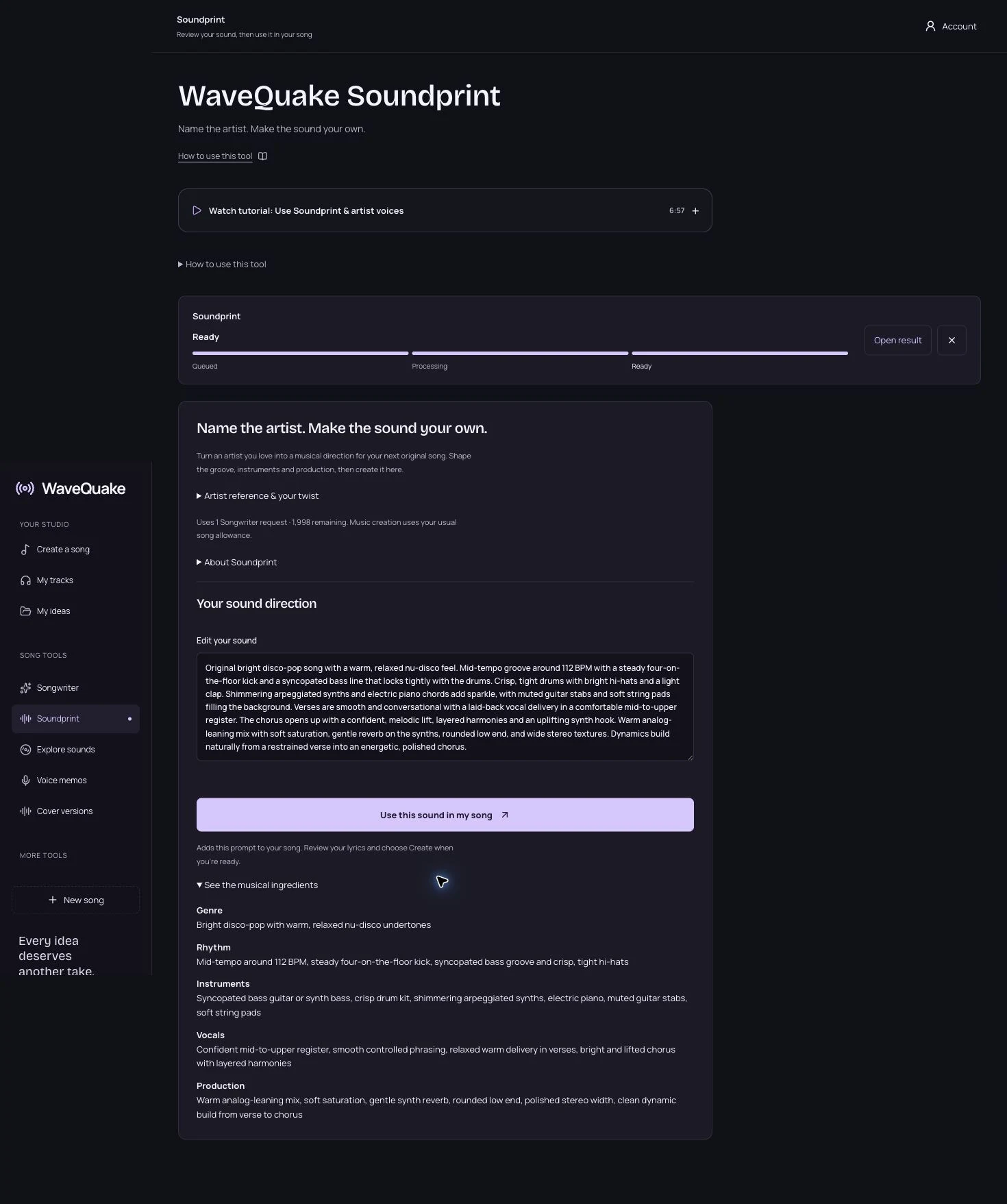
We selected Find my sound once. The writing allowance decreased from 1,999 to 1,998 requests, and the completed result appeared as an editable brief. The studio also offered a separate view of the musical ingredients.
The process was easy to follow because the result was ordinary, editable text. There was no need to accept every suggestion as a fixed preset. We could read the proposed arrangement, decide whether it matched the lyric and revise any part before making audio.
What Soundprint returned
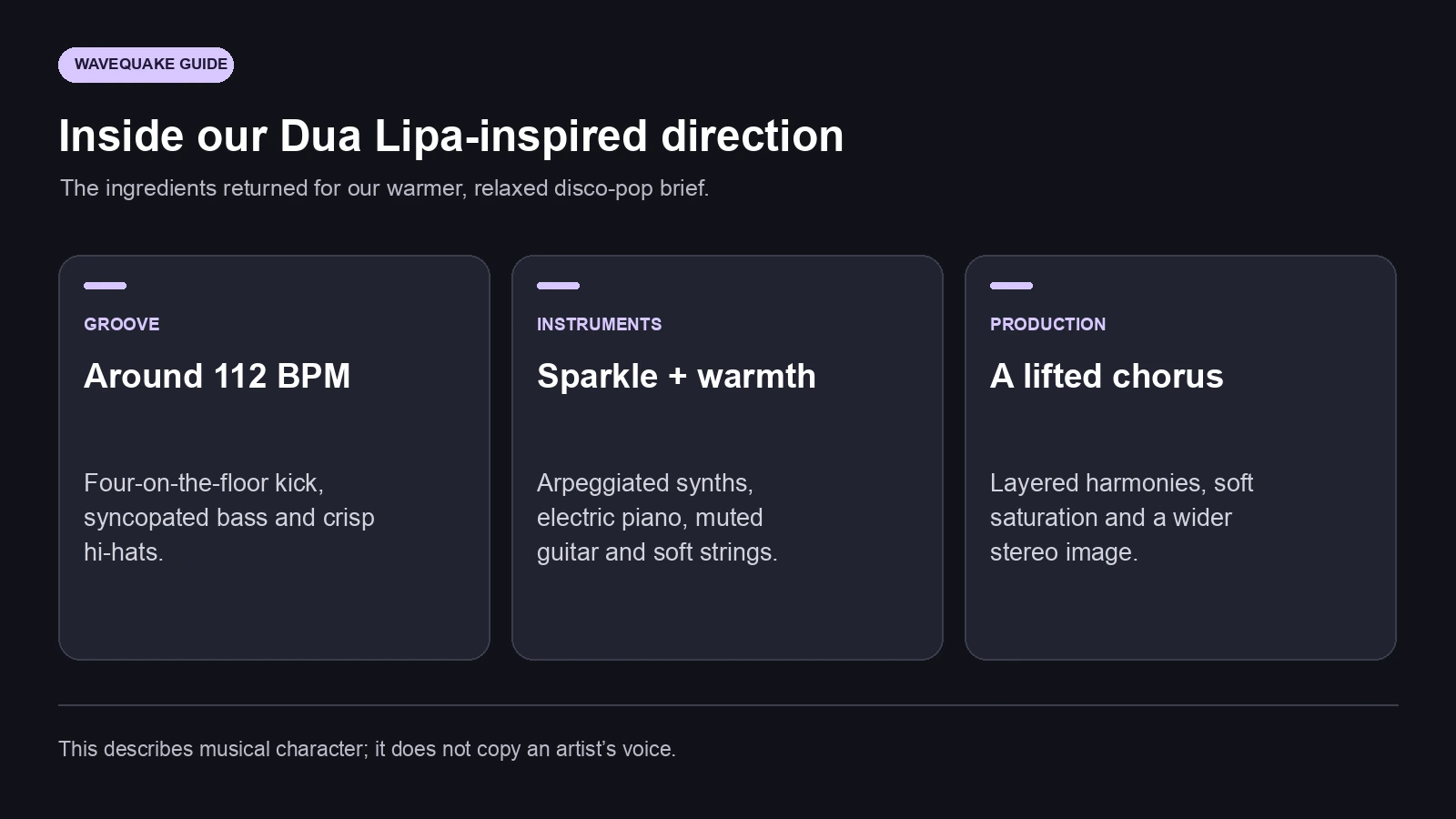
The returned direction contained 803 characters. It proposed a warm nu-disco setting around 112 BPM, a steady four-on-the-floor kick and a syncopated bass line. Crisp hi-hats, a light clap, shimmering synths and electric piano gave the rhythm a more detailed setting.
It also described how the performance should develop: conversational verses, a more confident melodic lift in the chorus and layered harmonies. The production notes called for rounded low end, gentle reverb, a wider stereo image and restrained verses building into a fuller chorus.
| Musical ingredient | Direction returned in our test | How it helps the song brief |
|---|---|---|
| Pace and rhythm | Around 112 BPM; four-on-the-floor kick | Establishes the pulse and dance feel |
| Bass and drums | Syncopated bass; crisp hi-hats; light clap | Gives the groove specific priorities |
| Instrument palette | Synths, electric piano, muted guitar, soft strings | Describes texture without naming a recording to copy |
| Vocal delivery | Smooth verses; lifted chorus; layered harmonies | Gives the performance a dynamic shape |
| Production | Warm saturation, rounded low end, wider stereo | Explains the desired finish |
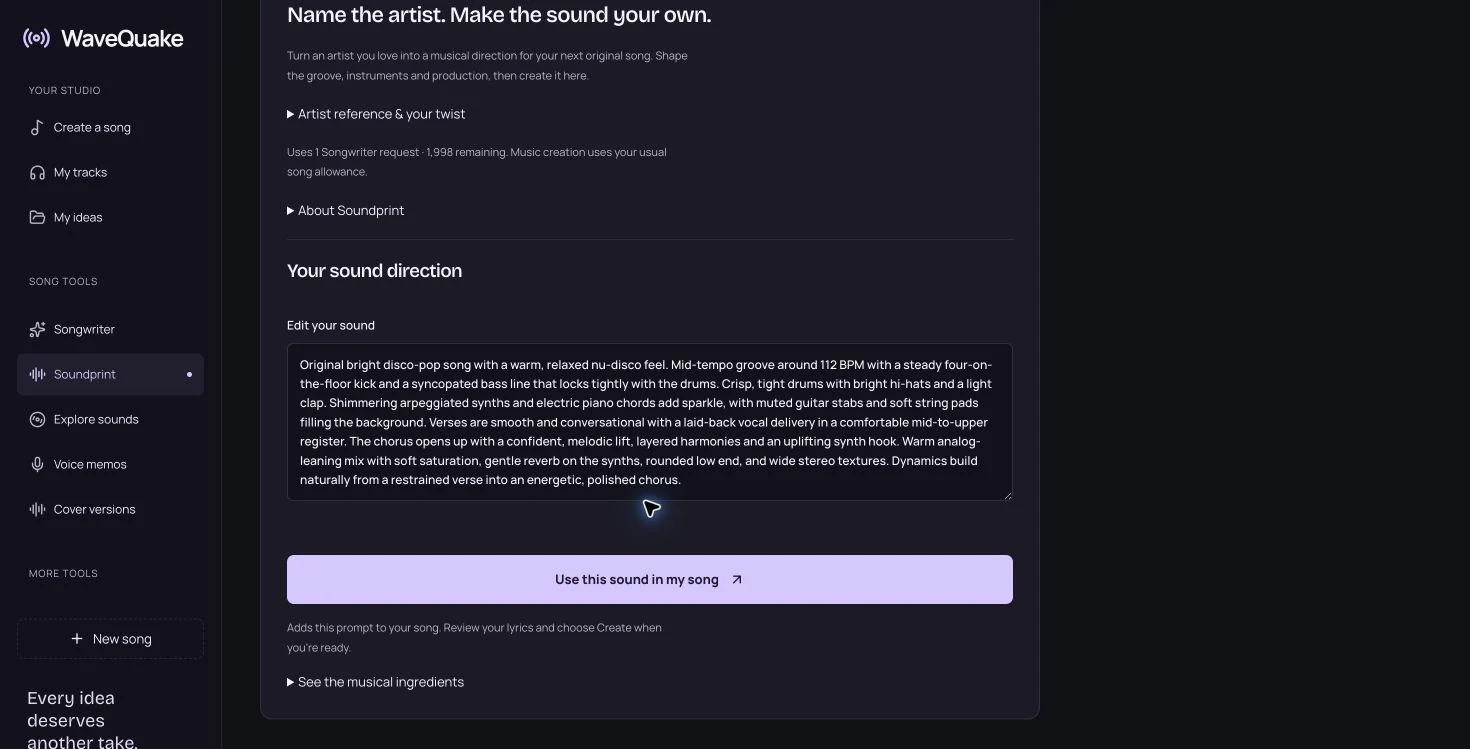
The useful outcome was a coherent production brief. Genre, groove, instrumentation and arrangement pointed in the same general direction. That gave us a concrete starting point for a new song and a way to discuss individual choices rather than repeatedly changing a broad artist reference.
Edit the direction until it belongs to your song
Before generating, read the brief alongside the lyric. A direction may be musically appealing while asking for more energy than the words need. You can keep its bass movement and instrumental palette while making the vocal more intimate, slowing the feel or reducing the chorus's density.
Make a small number of deliberate edits. If you want a warmer version, describe which part should become warmer: the electric piano, the bass tone, the room around the vocal or the overall mix. If you want more contrast, explain what should change between the verse and chorus.
A useful variation on our brief would keep the syncopated bass and shimmering synths but ask for a sparse first verse, a gently building pre-chorus and an open final chorus. Another could retain the groove while replacing string pads with a dry rhythm guitar. These are editorial examples of how to revise a direction; they are not additional generations we ran.
Soundprint is valuable here because the artist reference has already been translated into editable musical language. You can keep the qualities that attracted you and change the qualities that do not serve this particular song. The result becomes easier to explain, repeat and develop across later versions.
Apply the sound while keeping your lyrics
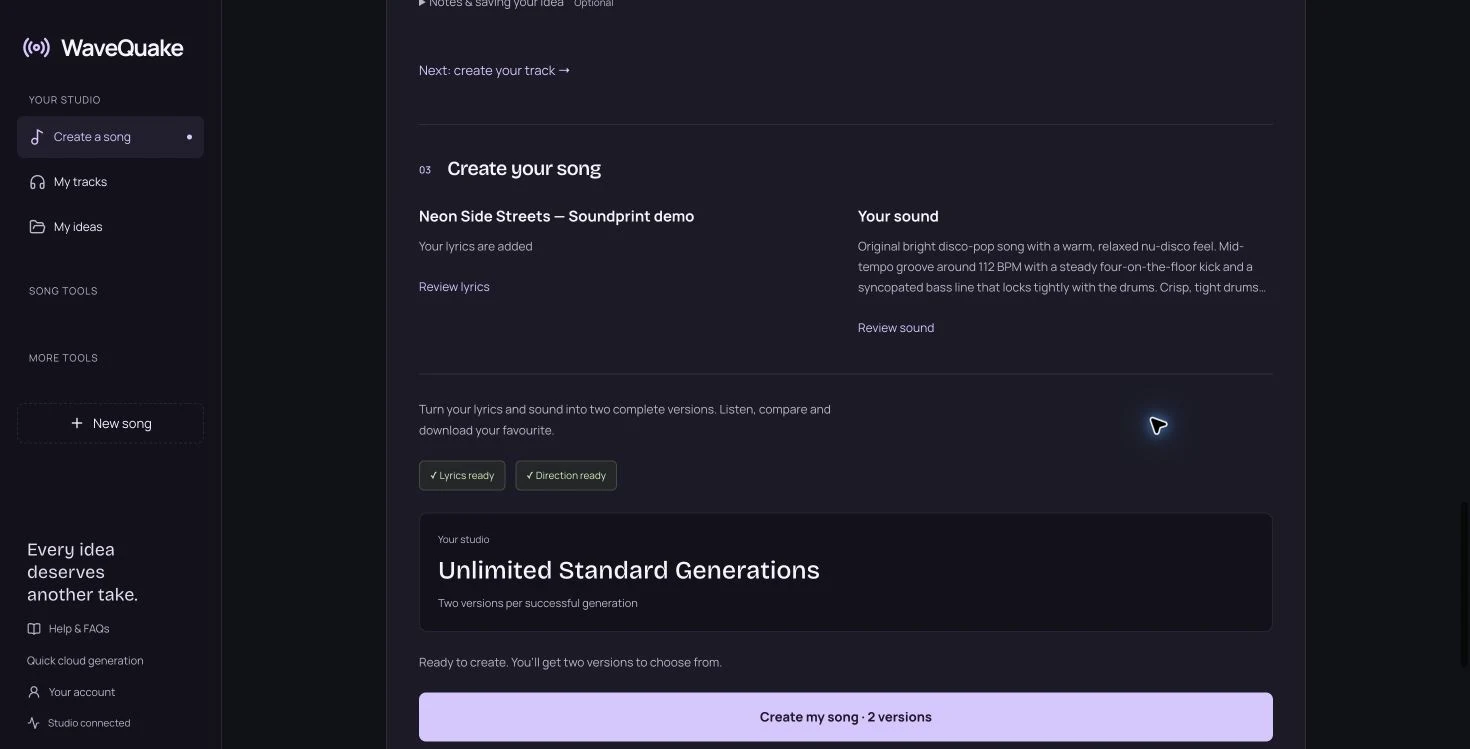
For our song, we wrote original lyrics and added them to Create before applying the Soundprint result. The title was Neon Side Streets — Soundprint demo, and the lyric draft contained 675 characters with verse, pre-chorus, chorus and outro labels.
We then opened the inline Soundprint option and used the completed direction. The studio confirmed that the sound had been added while keeping the lyrics and other settings. The original title and words remained in the editor, and the sound field showed the 803-character direction.
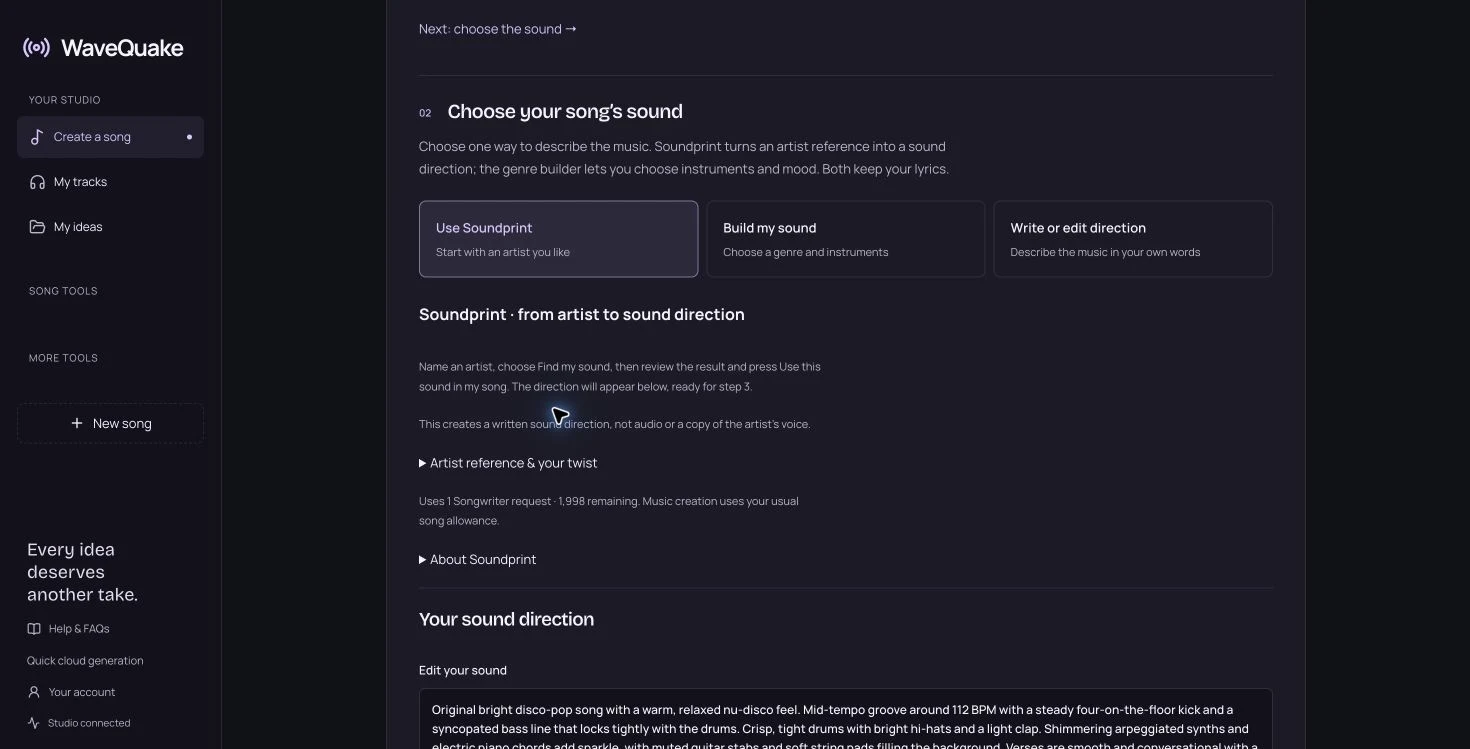
That preservation matters in normal songwriting. Once a chorus works, trying a new production direction should not require reconstructing the lyric draft. We could review the words and the sound separately, then move to the final creation step with both in place.
Our chorus was a short, original four-line idea about finding a different route home. A compact hook made the two versions easier to compare. You can take the same approach with your own material: settle the central lyric idea, give Soundprint a clear musical role, then check the combination before submitting.
If you already have a recording or a hummed melody, the separate Covers and humming guide explains that audio-reference route. Soundprint's starting material is an artist reference and written direction.
Two finished versions from the same original brief
We submitted the prepared song once. The studio moved through its creation stages and returned a completed job with two versions. Both appeared in My tracks with playback and MP3/WAV controls.
The first version displayed a duration of 2:39. The second displayed 2:09. We played both in the browser and observed the player advancing through each recording. These were the outputs of our original lyric and Soundprint direction, rather than screenshots of a pre-existing public demo.
| Observed result | Version 1 | Version 2 |
|---|---|---|
| Displayed running time | 2 minutes 39 seconds | 2 minutes 9 seconds |
| Playback in the studio | Confirmed | Confirmed |
| Download options shown | MP3 and WAV | MP3 and WAV |
| Submitted lyric brief | The same 675 characters | The same 675 characters |
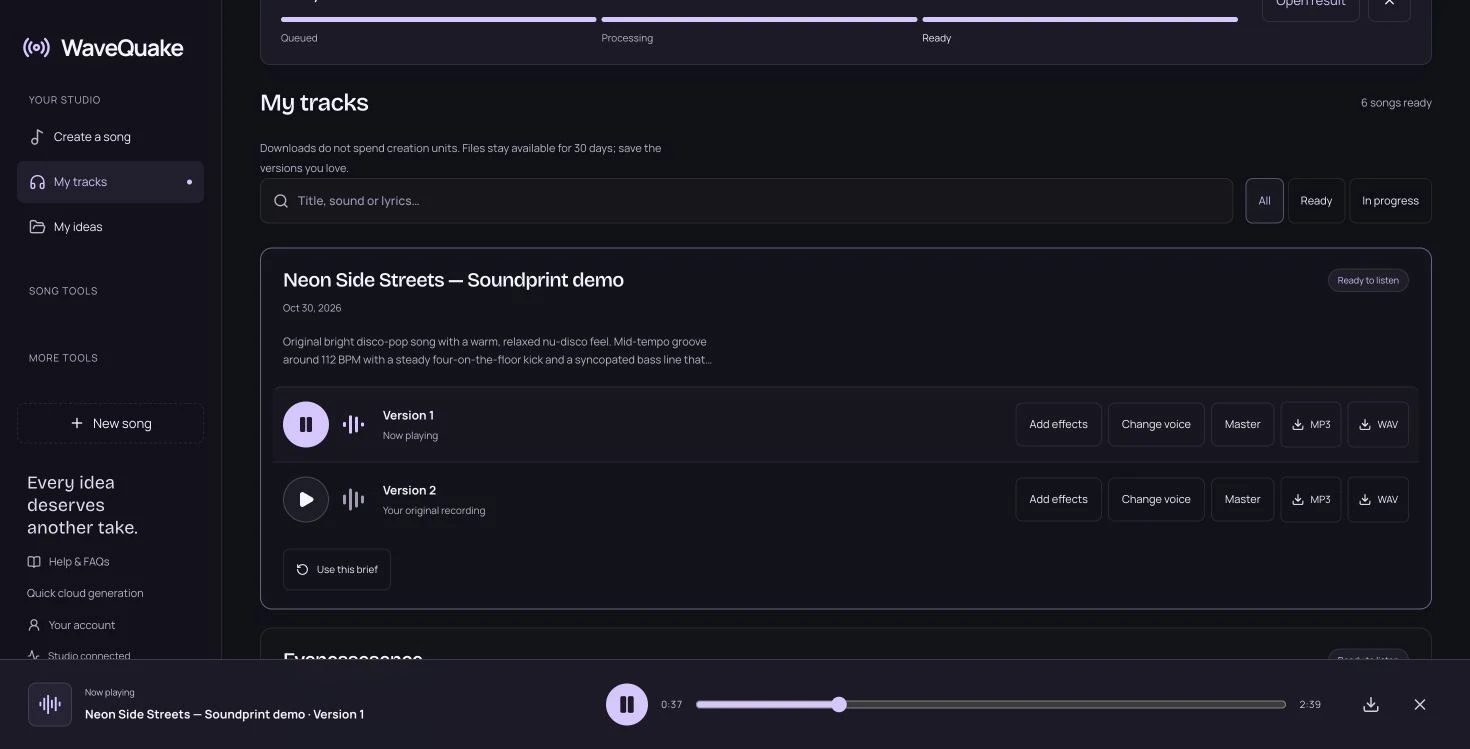
The different durations show why it is worth comparing the whole arrangement. Two outputs from one brief can make different decisions about pacing and repetition. Listen to the opening, the first chorus, transitions and ending before choosing the take that best serves the lyric.
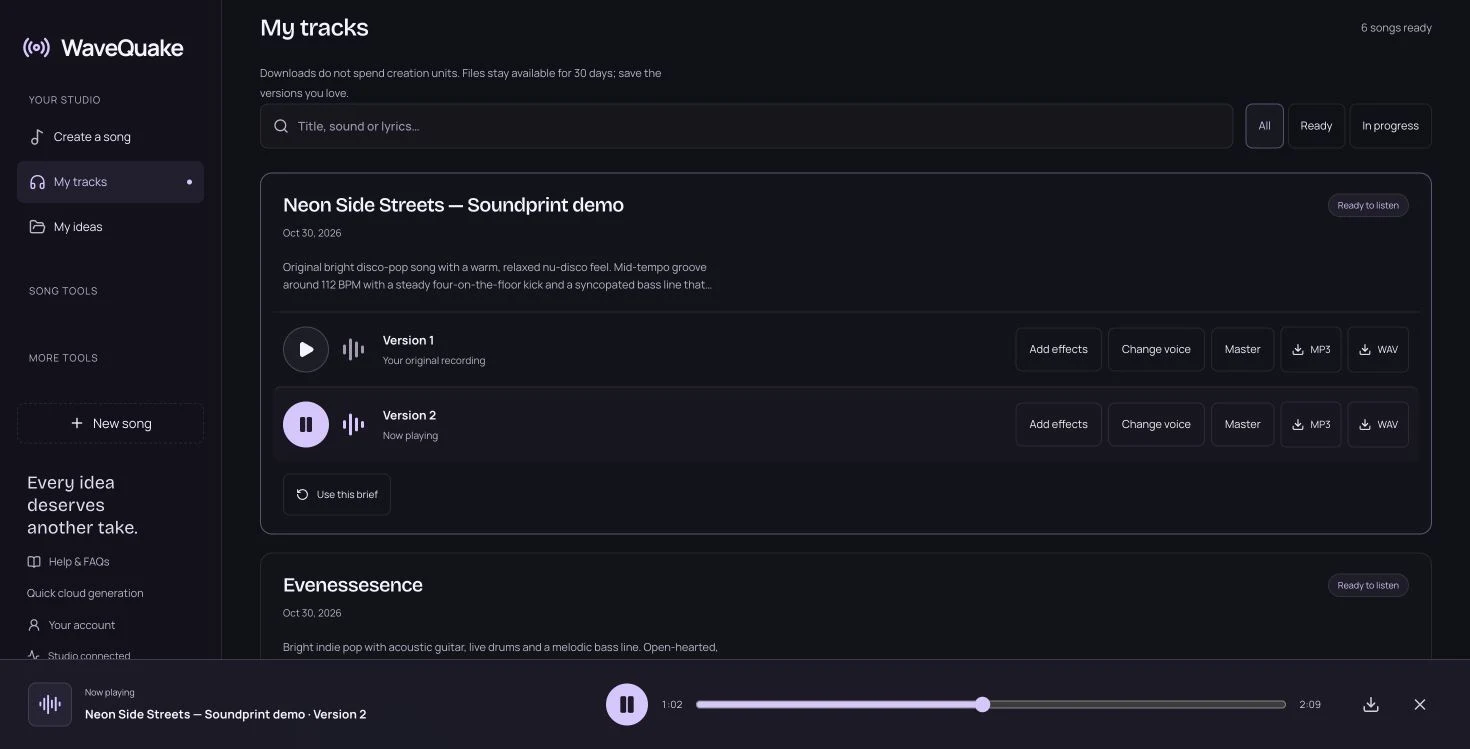
This was one shared editorial walkthrough on 30 October 2026. We verified the reference-to-brief handoff, preservation of our lyrics, completed generation and browser playback. We did not run a blind listening panel or measure similarity to an artist's commercial recordings, so our recommendation concerns the creative workflow we used.
Turn an artist preference into a repeatable brief
Artifactr readers often want to understand what a tool is actually changing. Soundprint makes that question approachable by exposing the direction as text. You can identify a bass pattern, a drum feel or a production preference and decide whether it belongs in the next version.
Keep the final edited direction with your lyric and chosen recording. If the next song needs the same broad identity, that brief gives you a useful reference without requiring every production choice to remain fixed. A consistent instrumental palette can connect a project, while a different tempo or vocal delivery allows individual songs to have their own shape.
A reference works best when it helps you make a specific decision. Keep a note of the groove, instruments and production qualities you chose, along with the changes that made them fit your lyric. That record is more useful for the next song than a long list of artist names without an explanation of what you wanted from each.
The offer and the two separate allowances
The pricing page displayed a $149.99 USD one-time founder offer when we checked on 30 October 2026. It included Unlimited Standard Generations, Unlimited Downloads and 2,000 writing requests shared by Songwriter and Soundprint.
Soundprint used one writing request to produce our direction. Applying that completed direction to the song was the handoff step; creating the audio was a separate action. Our full account showed Unlimited Standard Generations, with two versions per successful generation.
| Item | What we observed | Why it matters |
|---|---|---|
| Founder offer | $149.99 once | The displayed price on our check date |
| Soundprint direction | 1 writing request | A written brief is created before music |
| Shared writing allowance | 2,000 requests | Shared with Songwriter |
| Successful music generation | 2 versions | Two recordings to compare |
| Working storage | 10 GB | Space for current files |
| Completed-file retention | 30 days | Keep your own copies of favourites |
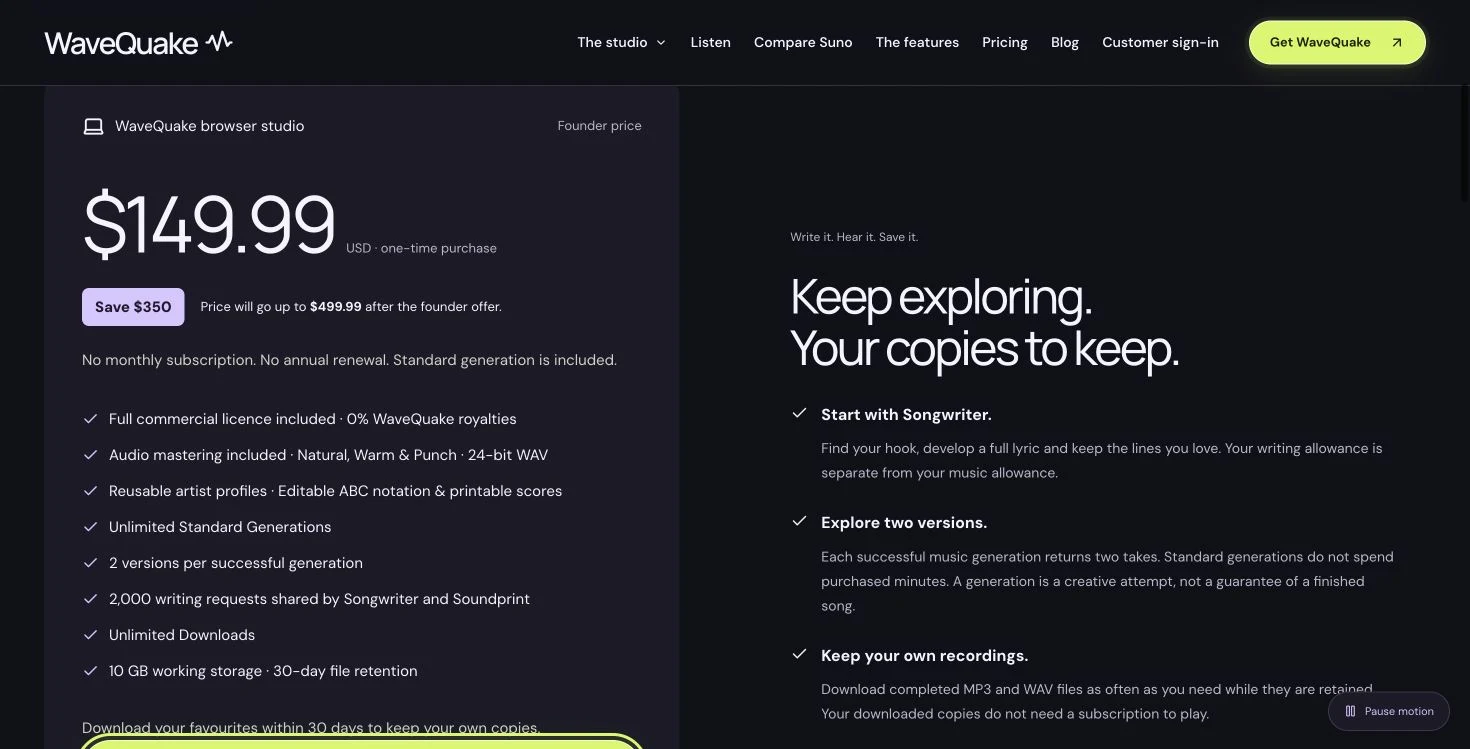
The page also describes a commercial licence and says WaveQuake takes no music royalties. Its commercial-use explanation limits that licence to rights it can grant. An artist reference is a creative direction, not an endorsement from that artist or permission to reuse an existing recording. Check the current offer and terms when deciding whether the studio fits your work.
Why Soundprint earns a place in the workflow
Soundprint solves a familiar creative problem: knowing the kind of record you want to make while lacking the vocabulary to describe its production. In our walkthrough, a Dua Lipa reference and a personal twist became a readable, editable direction, then two original song versions using our own lyrics.
The strongest moment was the handoff into Create. The lyric stayed intact, the direction was visible, and the next action was clear. That makes Soundprint easy to recommend to a songwriter who wants help turning a musical preference into a brief they can actually work with.
Start with one artist, identify the qualities you like and add one change that makes the direction yours. Review the ingredients, apply the sound and compare both versions. Open Soundprint when you are ready to turn that reference into the starting point for your own song.
Questions readers ask.
It can turn Dua Lipa as an artist reference into a musical direction for an original song. In our test, a warmer disco-pop request produced a brief covering bass, drums, synths, vocal delivery and production. You can edit those ingredients, apply them with your lyrics and generate your own versions.
No. The live interface says it creates a written sound direction rather than a copy of the artist's voice. The output describes broad musical qualities such as genre, groove, instruments and vocal character. It should not be presented as a recording by the referenced artist or an exact vocal replica.
No. It produces an editable written direction and uses one Songwriter request. Apply that direction to your song, review the lyrics and choose the separate Create action to generate audio. In our walkthrough, that later music-generation step returned two completed versions.
The song-reference field is optional. We left it empty and used Dua Lipa plus our own warmer, more relaxed disco-pop description. Naming a song can make the reference more specific, while your own direction explains which musical qualities you want to develop or change.
In our live test, applying the direction preserved the title and all 675 characters of our original lyrics. The studio confirmed that the sound had been added while keeping the other settings. Review the editor before generating, especially when combining a saved brief with a new direction.
Yes. The result is an editable text field. We received an 803-character direction and could review its musical ingredients before applying it. Adjust the pace, instruments, vocal delivery or production to fit your own lyric rather than treating the first suggestion as a fixed preset.
Soundprint begins with an artist reference and writes a production direction. Covers begins with an audio recording and offers choices about following its main melody or arrangement. Use Soundprint when you want help describing a sound, and the audio-reference workflow when you already have a recording or melody idea.
We used a connected full account, requested a Dua Lipa-inspired direction, applied it to original lyrics, submitted one music-generation job and played both completed versions in the browser. The displayed durations were 2:39 and 2:09. The screenshots document that shared walkthrough rather than separate tests for each publishing site.